APK review evidence
Start with publisher and source and then check package identity. This apk review evidence section separates these questions from review credibility so a visitor can decide what to verify next.
Record the page that supplies the file, not just a screenshot or forwarded APK name.
Compare package identifier, signing information and permissions with documentation from a verified publisher.
A rating screenshot without date, tested version or independent source cannot establish safety.
Bharat Club APK Reviews – Android install and app checks
App source and version
Bharat Club APK Reviews mein kisi installer ka genuine hona sirf file name se establish nahi hota. Package identifier, source page, version history aur publisher information compare karein. Download link kisi forwarded message se aaya ho to domain mismatches ko extra attention dein.
Permissions and changes
Android installation ke baad SMS access, accessibility service ya screen overlay permission unexpectedly request ho to uske purpose ko separately verify karein. Old app aur new APK ke permissions differ kar sakte hain. Modified builds ko trusted update assume na karein.
User review ko kaise read karein
Ek screenshot ya short positive comment app safety ka complete evidence nahi hota. Device version, date, app build aur issue reproducibility review karein. Login credential sharing ya guaranteed prediction promises suspicious signals hain.
What to review in an APK
Check source, package behavior, requested permissions and whether the installed app reaches the expected Bharat Club interface.
A filename, logo or social recommendation alone is not enough verification.
Modified APK claims
A mod or hack package can add permissions or code that is not part of the normal app experience.
Do not share OTP, banking PIN or account password with any installation helper.
Primary install section
Use Bharat Club App Download for the complete install and update flow.
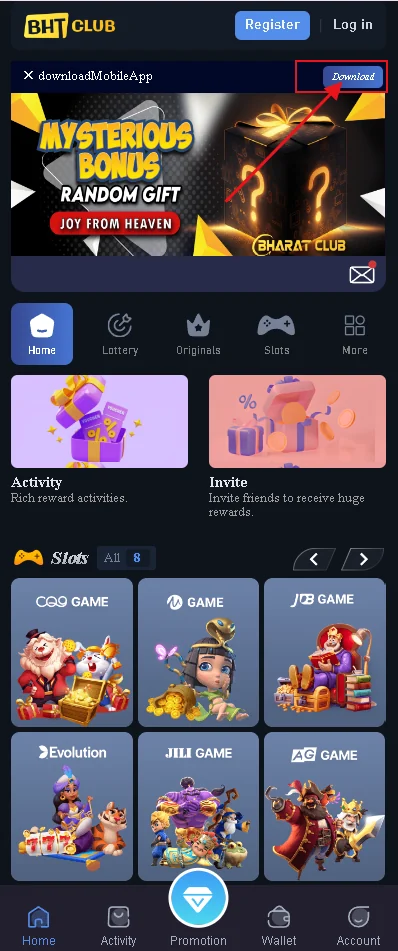
Bharat Club dashboard
Actual historical interface used for app-context verification.
Package source and version
APK filename and logo alone identity prove nahi karte. Current destination, package behavior and installed interface check karein. Old version network error show kare to current build verify karna password reset se pehle useful hai.
Permission review
Install ke waqt external-source permission temporary ho sakti hai. Installation ke baad unnecessary permission disable karein. Unknown modified package excessive permissions maange to install stop karein.
Credentials after reinstall
Reinstall se pehle registered number and password confirm karein. App delete hone se account itself delete nahi hona chahiye, but forgotten credentials recovery ko difficult bana sakte hain.
Practical verification checklist
For this app / apk intent, keep the exact account or round context, current visible status and only non-sensitive evidence. If a claim depends on an old screenshot, copied message or missing timestamp, treat it as incomplete context.
APK review evidence aur user opinion mein difference
“Works on my phone” type review sirf us user ke device aur test date par apply hota hai. Better review mein Android version, app build if visible, tested action, install source aur reproducible result mention hona chahiye; bina in details ke star rating authenticity establish nahi karti.
APK risk assess karte waqt package identifier, app permissions aur signing continuity check relevant hain. Koi renamed file same logo use kar sakti hai. Review karte waqt real account credentials, transaction screenshots ya OTP publish nahi karne chahiye.
Frequently asked questions
APK review me kya check karein?
Source, permissions, version and behavior.
Mod APK automatically safe hai?
Nahi.
Primary app URL?
/download-app/.
Common mistake to avoid
The first check here is publisher and source: Record the page that supplies the file, not just a screenshot or forwarded APK name. Do not skip the separate package identity step: Compare package identifier, signing information and permissions with documentation from a verified publisher.