Installed Win Go app troubleshooting
Start with app will not open and then check update after install. This installed win go app troubleshooting section separates these questions from login inside app so a visitor can decide what to verify next.
Record Android version, available storage and the exact crash or loading message.
If the interface changed, check app version and permissions before reinstalling.
Distinguish a working app shell from a failed account authentication or OTP step.
Already-installed Win Go app: first checks
Bharat Club APK Download or Win Go APK links may be re-uploaded by unrelated people. Compare the source domain, file name, requested Android permissions and any version label. Installing unknown APK files can expose login data. An update should not require someone to collect your password or OTP by direct message.
App version visible after installation
Unknown file or modified package should not be trusted because it claims fixed results.
Use the current app route and verify the installed interface before entering credentials.
App opens but account login fails
Android compatibility and version can affect install behavior.
If app opens but account login fails, use Bharat Club Login rather than repeatedly reinstalling.
Never confuse app repair with outcome prediction
An APK cannot be treated as proof of guaranteed Win Go outcomes.
Win Go interface
Historical Win Go interface context.
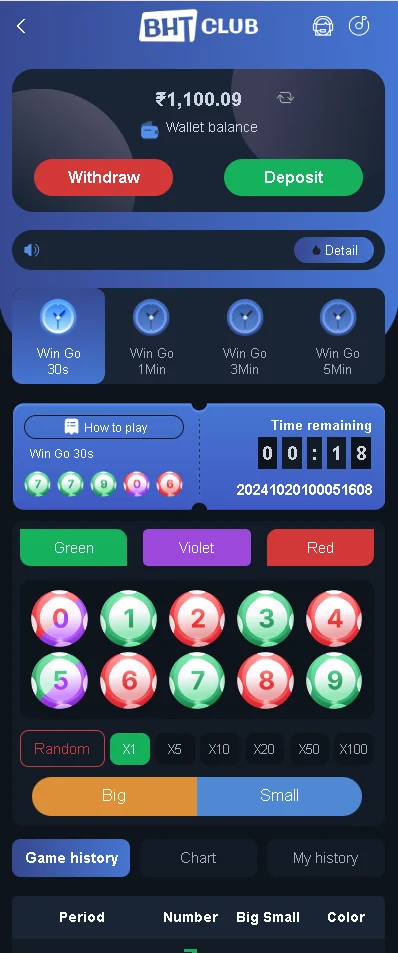
Installed version and upgrade path
APK filename and logo alone identity prove nahi karte. Current destination, package behavior and installed interface check karein. Old version network error show kare to current build verify karna password reset se pehle useful hai.
Permissions after installation
Install ke waqt external-source permission temporary ho sakti hai. Installation ke baad unnecessary permission disable karein. Unknown modified package excessive permissions maange to install stop karein.
Account access after reinstall
Reinstall se pehle registered number and password confirm karein. App delete hone se account itself delete nahi hona chahiye, but forgotten credentials recovery ko difficult bana sakte hain.
App start-up troubleshooting record
For this app / apk intent, keep the exact account or round context, current visible status and only non-sensitive evidence. If a claim depends on an old screenshot, copied message or missing timestamp, treat it as incomplete context.
Win Go APK troubleshooting order
Is page ka focus already-installed Android experience par hai. App opens but Win Go screen fails to load? First separate network-specific loading failure, stale build, account-session error and a general service outage. Reinstalling immediately can remove useful diagnostic evidence.
Record Android version, visible app version, exact warning and whether other sections open. Clear cache only after access details are safely available, and do not disable device protection simply to test an unknown file.
Frequently asked questions
Kya Win Go APK guaranteed result deta hai?
Nahi.
Login issue kahan check karein?
/bharat-club-login-steps/.
Primary app section?
/download-app/.
Common mistake to avoid
The first check here is app will not open: Record Android version, available storage and the exact crash or loading message. Do not skip the separate update after install step: If the interface changed, check app version and permissions before reinstalling.